











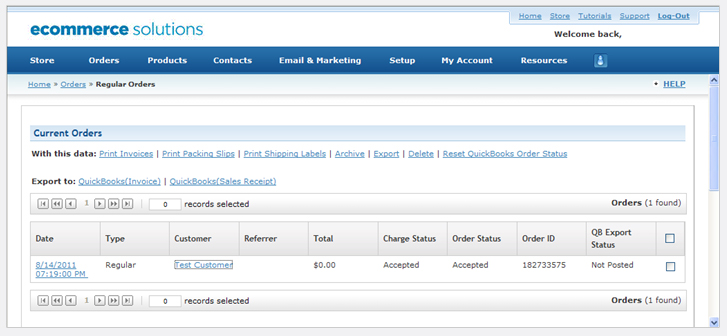
| 1. | Log in to your Web.com portal – https://support.web.com | 2. | Click the icon named “View My Gift Card Orders”. |
| 3. | Verify credit card payment and collect shipping information to fulfill your gift card order for your customer. |
4. | Remember to pull the payment information and manually enter it into your POS system. |
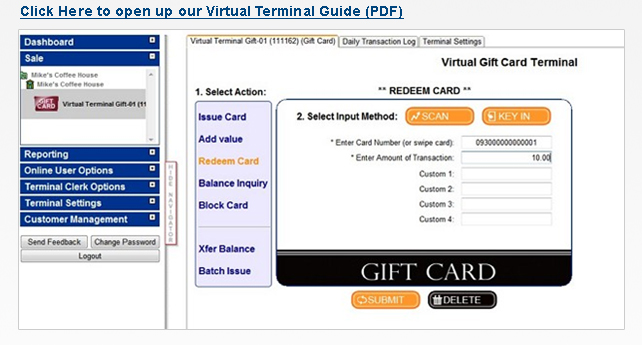
| 1. | Log in to your Web.com portal – https://support.web.com | 2. | Click the icon named “Manage My Gift Cards” where you will be required to log into our virtual terminal. |
| 3. | You can also go directly to https://www.MyOnlineReports.com and enter your virtual terminal login information |
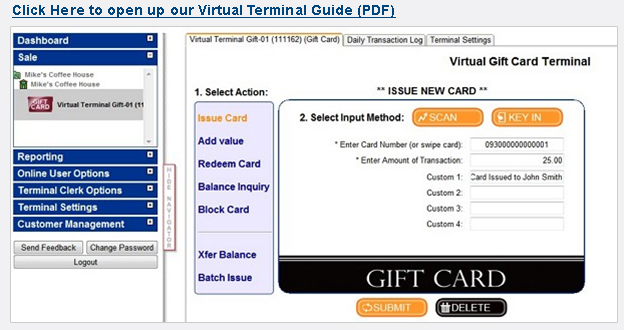
| 1. | Log in to your Web.com portal – https://support.web.com | 2. | Click the icon named “Manage My Gift Cards” where you will be required to log into our virtual terminal. |
| 3. | You can also go directly to https://www.MyOnlineReports.com and enter your virtual terminal login information |